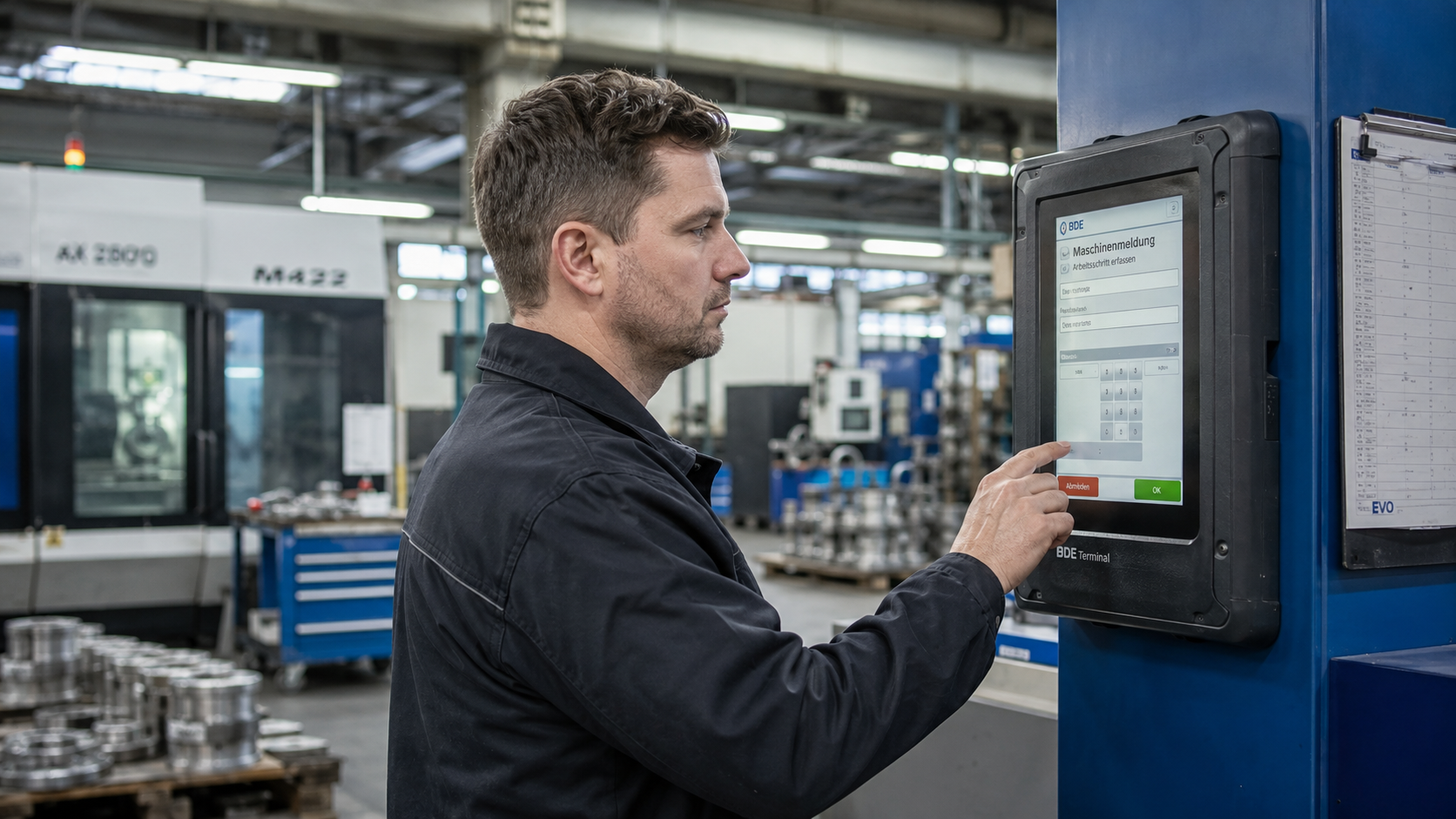
What does production data acquisition have to do with an MES?
A PDA system creates a comprehensive database: it captures feedback on orders, times, and quantities directly from production.
An MES system connects this PDA data with machine data from MDA, order data from the ERP system, and quality data, all within a shared database. This creates a reliable target-actual comparison between planning and execution, on the basis of which improvements can be derived in a targeted manner.
PDA is therefore the human data layer in the MES: What happens in production, which order is running, since when, how many parts, why there was downtime, is turned into a structured, analyzable data point through PDC. Without PDA, the MES remains blind to the order context.
According to a Bitkom study (as of 2025), more than two thirds of German industrial companies use Industry 4.0 applications. Structured production data collection is one of the fundamental building blocks, without it, real-time control and data-based optimization remain theoretical.
What production data exists in manufacturing?
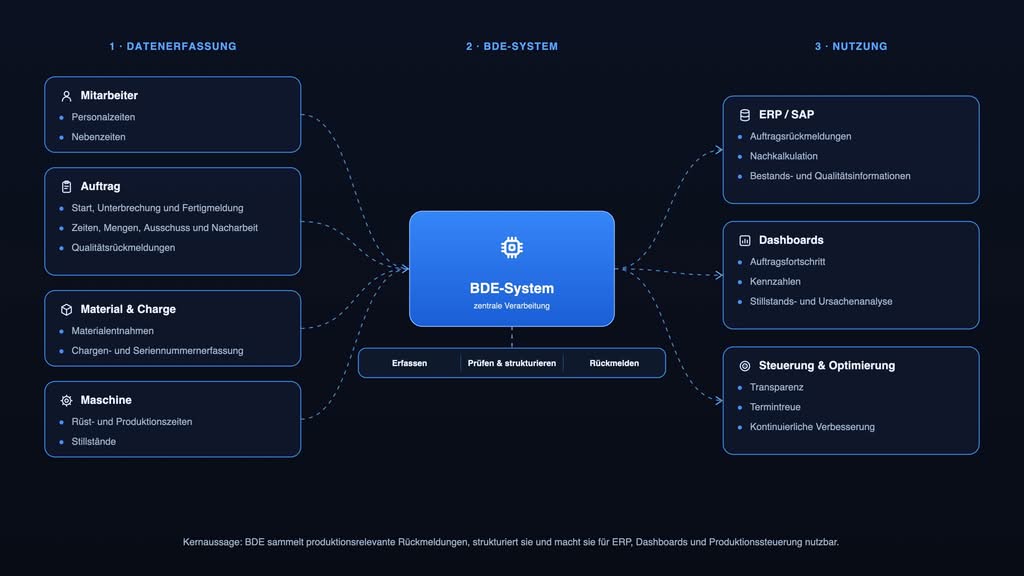
A PDA system makes production progress transparent and ensures standardized feedback from production. In manufacturing, the following types of production data are recorded:
- Order details: Order number, operation, cost center, workstation, what is being produced at which workstation and where the order stands in its progress.
- Time data: Setup times, production times, downtime, and operational ancillary activities, the basis for post-calculation and efficiency analysis.
- Quantities: Good quantity, scrap quantity, rework quantity — reported directly at the operation, without manual transfer to the ERP system.
- Personal details: Deployment times, shift assignments, and activity records — for personnel planning and cost centers.
- Quality data: Structured inspection of quantitative and qualitative quality data with a usage decision, recorded directly at the workstation and transferred to CAQ systems (Computer Aided Quality).
- Material data: Material withdrawals per order and operation — for accurate post-calculation and inventory management.
- Batch data: Batch allocation, serial numbers and seamless traceability — particularly relevant in pharmaceuticals, food and automotive.
- Fault data: Manual qualification of downtime and scrap with documentation of causes and measures as a supplement to the automatically recorded machine data.
How does a PDA system capture this data?
In practice, data collection is carried out via stationary PDC terminals at workstations, but increasingly also via tablets, industrial smartphones, or handheld devices, wherever feedback is required away from fixed workstations.
Typical data capture methods in a modern PDA system:
- Stationary terminals: Rugged industrial terminals directly at the workstation — for fast feedback via touch input or barcode scan, also operable while wearing gloves.
- Mobile devices: Tablets and handheld devices for flexible feedback in assembly, maintenance, or at changing workstations. Learn more: Mobile Data Collection with SAP.
- Barcode and RFID scanners: For fast order and material identification without manual entry.
- Web-based clients: Browser-based PDA interfaces for office and shop floor personnel without a dedicated terminal.
How is PDA integrated into ERP systems?
A PDA software must communicate bidirectionally — or directly, with the ERP system: orders, work plans, and master data are transferred from the ERP system, while feedback on quantities, times, and scrap flows back automatically. The result: no double entry, no media discontinuities, and a consistent data logic from the shop floor to controlling.
In SAP, MES solutions such as X-NetMES are available that are fully integrated, use the existing SAP data structure and logic, and execute their postings directly in SAP transactions.
An end-to-end order logic is essential: what is planned in the ERP system must be reportable in the PDA system, and what is reported back must arrive in the ERP system without manual transfer.
What matters when selecting PDA software?
A modern PDA software should meet three core requirements: a practical user interface that works in manufacturing (simple, fast, few clicks), bidirectional or, better, direct ERP integration without duplicate data entry, as well as analytics and reporting logic for on-time delivery performance, causes of downtime, and OEE components — ideally in real time.
The ability to combine with MDA is becoming increasingly important: systems that unify PDA and MDA within a single MES reduce interfaces and create a consistent data foundation. For SAP environments, X-NetMES offers PDA and MDA as integrated modules with native SAP connectivity.
What functions does PDA software provide?
PDA software combines several data capture and analysis functions that work together directly at the workstation in manufacturing. The most important functions in production operations:
Order confirmation: Starting, interrupting and reporting completion of orders and operations directly at the workstation.
- Time tracking: Collection of setup, production and downtime data for transparency and post-calculation.
- Quantity recording: Feedback of good, scrap and rework quantities without additional ERP data entry.
- Quality feedback: Recording of inspection characteristics, quality notifications and usage decisions to support quality assurance.
- Downtime and fault recording: Recording and qualification of faults and stoppages for root cause analysis.
- Material and batch tracking: Documentation of material consumption as well as batch and serial numbers.
- ERP integration: Automatic exchange of order and feedback data with the ERP system.
- Analysis and reporting: Dashboards, KPIs, and reports for operational control and continuous improvement.
PDA in the MES Dashboard: What becomes visible?
In an MES that combines PDA and MDA, end-to-end processes are created: order data is captured in the production, while machines provide the corresponding status data in real time. The collected data flows into a shared history — without parallel spreadsheets or duplicate data entry.
What an MES dashboard based on PDA data typically shows:
- Real-time order progress: Which order is currently running, on which workstation, how much is completed — live, without asking around on the shop floor.
- Shift and daily reports: Generated automatically from PDA feedbacks — good quantities, scrap, setup times, downtime reasons.
- Downtime analyses with root cause correlation: MDA stop signal (when, how long) combined with PDA justification (why, who) — for structured corrective actions.
- KPI Dashboard: Schedule adherence, productivity, OEE components and production areas — for shift supervisors and production management.
How this leads to measurable efficiency gains is demonstrated in the case study: 15 % – Improved Performance in Parts Manufacturing.
Conclusion: Production Data Acquisition as the Foundation of Production Transparency
PDA and MDA complement each other: a PDA system creates transparency and structure in production order, time, and quantity reporting. Combined with MDA — ideally within a MES — it provides a reliable data foundation for transparency, KPIs, and measurable improvements.
Organizations that implement PDA consistently and integrate it with MDA and the ERP system create the data foundation for a data-driven production environment — from real-time transparency in day-to-day operations to AI-powered analytics and predictive maintenance initiatives.